Learn Primavera P6 – Three ways to get started
Learning Primavera P6 can look like a time-consuming, difficult task when you are getting introduced to the software now. P6, with its many functions, can seem complicated to project management professionals starting to work in it. Once you learn the basics and get accustomed to the core functions, managing the rest is straightforward.
There are three main ways to learn Primavera P6: instructor-led training courses, self-paced online courses, and books and documentation. Each suits a different learning style and budget, and this article covers all three, along with how long it realistically takes to reach each level of proficiency.
What is Primavera P6?
Primavera P6 is the standard and most widely used enterprise project portfolio management software for planning and managing large-scale projects across construction, oil, gas, energy, manufacturing, and similar industries known for complex projects.
Stop wrestling with Primavera XER schedules.
Your team can see your schedule without buying a P6 license.
Start Free Trial No credit card · Windows & Mac · From $344/yr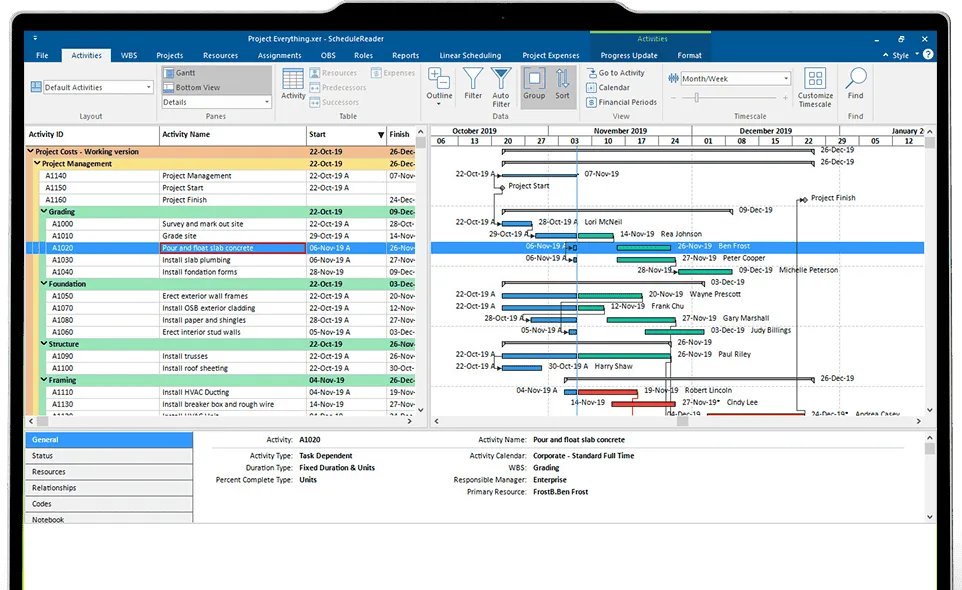
The software supports the prioritization, planning and management of large-scale and complex projects, programs, and project portfolios from end to end. The Primavera suite of tools, developed by Oracle, includes several products, but when people refer to Primavera P6 they usually mean the on-premises Primavera P6 Professional and its web-based counterpart, EPPM.
Becoming proficient with Primavera P6 is a skill every scheduler working in those industries should have, and learning it can benefit a scheduler’s career considerably.
The three ways to learn Primavera P6 at a glance
| Method | Best for | Typical cost | Time to first usable skills |
|---|---|---|---|
| Instructor-led training | Structured, fast onboarding with expert support | Roughly $700 to $1,500 per course | Days to a few weeks |
| Self-paced online courses | Flexible, budget-friendly, self-directed learners | Free up to about $85 per course | Weeks, at your own pace |
| Books and documentation | Reference and deep study, off-screen | Cost of the book; docs are free | Ongoing |
How long does it take to learn Primavera P6?
The time it takes to learn P6 varies widely, depending on your prior experience with project management software, your familiarity with similar tools, your pace of learning, and the complexity of the projects you plan to manage. A general breakdown:
- Basic proficiency (2 to 4 weeks). With prior experience in project management or scheduling tools, you can gain basic proficiency fairly quickly. This stage covers the user interface, navigation, creating simple project schedules, defining activities and their relationships, and setting up basic resources and calendars.
- Intermediate skills (2 to 4 months). To use the software effectively on medium-sized projects takes more time. Here you get used to advanced scheduling techniques, resource management, tracking progress and cost control, and you explore reporting, risk analysis, and customizing layouts and views. Daily use of P6 during this phase makes a real difference.
- Advanced (6 months to a year or more). Advanced mastery takes considerably longer. This stage covers complex projects, schedule optimization, managing multiple project plans, and advanced features, and it includes integration with other enterprise systems. If needed, it also covers the software’s database structure and data management.
- Continuous learning. The most important thing to know is that learning P6 is ongoing. The software keeps evolving, so staying current with the latest features and best practices matters for effective project management.
Certification programs and workshops can enhance your skills further, and many video courses run from about 5 to 25 hours depending on the topic. In the end, the time to learn P6 varies from person to person. Set realistic goals, start with the basics, and progress gradually into more advanced territory. Using the software often, even on test projects, builds confidence and experience for your specific needs.
With that in mind, here are the three ways to get started.
1. Training courses: instructor-led
One of the best ways to learn Primavera P6 is to take a training course.
Training courses are led by practitioners and instructors with extensive practical experience, who share knowledge from real projects. Courses follow standardized programs, enriched with the instructors’ own insights, that cover the key concepts and important details so you gain a firm foundation.
Instructors support students through obstacles along the way, and courses often include exercises that build hands-on experience fast. You can take a course as part of a group, which is more interactive, or individually, depending on the provider’s offering. Courses run locally at the provider’s offices, online, or both.
On completion, most providers issue a certificate that serves as professional proof of your skills. Training is also the usual route to Primavera P6 certification, and some providers bundle a certification exam with the course. Reported pricing ranges from roughly $700 per student for a single certification course, up to around $1,000 to $1,500 for multi-day, live online programs from established Oracle partners. Oracle University offers an official Primavera P6 Fundamentals course for teams that prefer the vendor’s own curriculum.
2. Self-paced online courses
More and more people choose to master new skills online, at home, using free and paid resources. Learning P6 this way is flexible, and you can fit it around your own schedule.
Many Primavera P6 courses are available, both as standalone videos on specific topics and as full online-course curriculums from training providers and consultants. Content in multiple languages is available. Free platforms such as YouTube host a large range of full beginner courses you can start today, alongside structured paid programs from Oracle University, Udemy, Coursera, and specialist providers.
Paid courses tend to include more topics, more detail, and instructor access or support groups, and they suit both beginners and experienced practitioners who want a refresher. As a reference point for cost, a full Udemy Primavera P6 Professional training-and-certification course runs around $85 for roughly 6.5 hours of content, which makes self-paced study the lowest-cost structured option.
You can find recommendations for online Primavera P6 training courses to start right now.
3. Books and documentation
Documentation and user manuals are another good way to find your way around the software quickly. They include detailed guidelines on the practical use of every feature and functionality, are made available by the manufacturer, and reflect the intended way the application is used. Oracle’s own help documentation is the authoritative source.
Beyond standard documentation, books are a strong way to master P6. Books are written by practitioners, thought leaders and expert instructors who relay their views, knowledge and practices, often including tips, best practices, and practical examples you will not find elsewhere. Books also let you read and learn in your own time, wherever you are.
Mastering P6 can look overwhelming at first, so we made a list of 15 Primavera P6 books and instruction manuals that will help.
Primavera P6 companion tools
Whether you are an experienced scheduler or a beginner, knowing the tools that interact with P6 and ease a scheduler’s work is a valuable asset. Two worth knowing are ScheduleReader and ScheduleCleaner, both of which run alongside your Primavera P6 software.
ScheduleReader
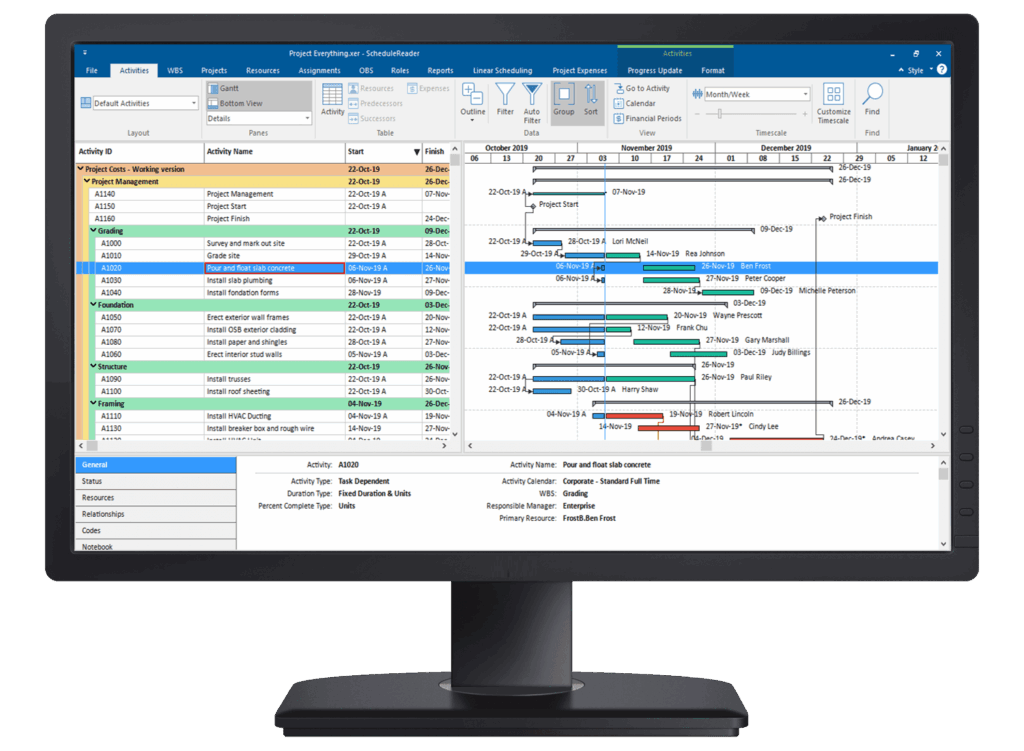
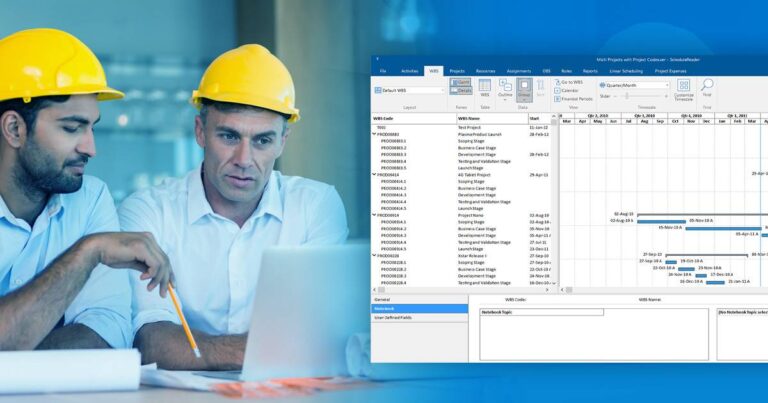
ScheduleReader opens any project plan created with the different versions of Primavera P6. It presents project data from files exported in the .xer and .xml formats in seconds, without connecting to any database.
Team leads and team members who only need to review part of a schedule use it, as do schedulers, project managers and project controllers who need quick view access to analyze schedule data. With project participants using ScheduleReader, schedulers save time distributing project data, because they no longer need to send multiple PDF versions, and can share the schedule in .xer or .xml instead.
ScheduleReader also enables team collaboration by letting schedulers receive activity progress updates from field teams as a ready-to-import Excel file through its Progress Update mode.
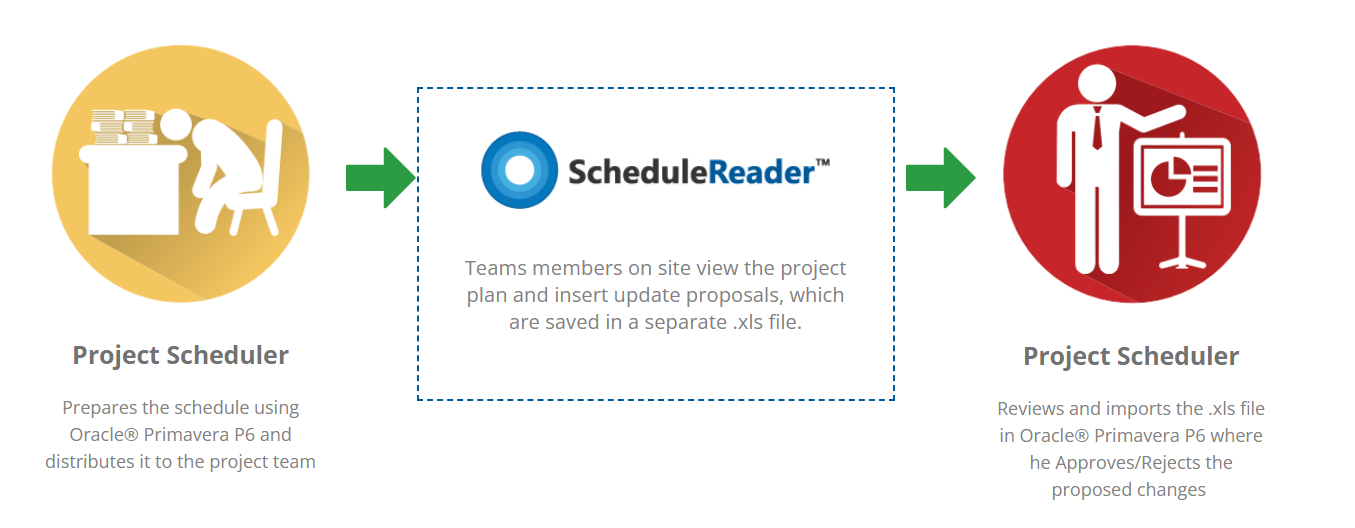
It is simple to use and lets the wider project team view schedule data dynamically. Users can interact with the data and customize their view using different Views, filters, grouping and sorting, instead of reading a static PDF. You can learn more and download a 15-day free trial version from the official website.
ScheduleCleaner
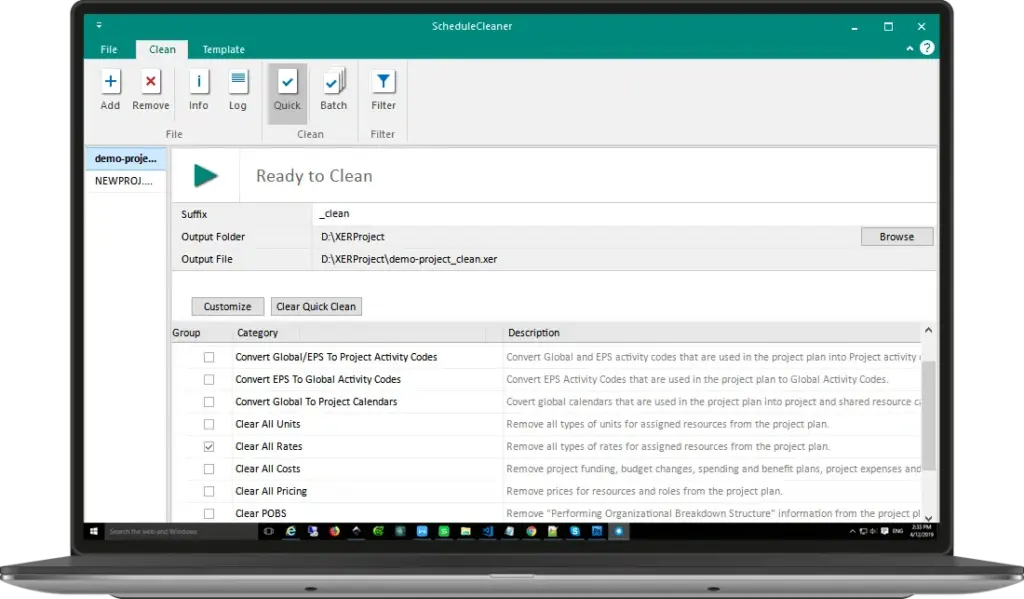
ScheduleCleaner plays a key role in making sure sensitive project information is not transmitted to third-party contractors or sent outside the firm.
The application removes, modifies, or anonymizes more than 80 categories of project data in both XER and XML files, including Units, Costs, Pricing, and Resource Rates. Project data such as POBS tables and Risks can be removed safely, and specific data categories such as Global Activity Codes and Calendars can be converted to Project level and vice versa.
It is simple to use, and it has a number of use cases that help the Primavera P6 scheduler and project team control the flow of schedule data. ScheduleCleaner is available as a free 15-day trial version from the official website.
Conclusion
Mastering a project portfolio management tool like Oracle’s Primavera P6 is both challenging and rewarding, and it is a valuable skill whether you are already in planning and scheduling or just starting out.
P6 shines at laying out the groundwork and detail for the most complex projects, and while it can seem complex to learn, with the right support and time investment anyone can master it step by step. You can pick up the basics relatively fast, and the more you practice on real projects, the faster your experience grows.
Pick the way that fits how you learn: a structured instructor-led course for the fastest ramp, self-paced online training for flexibility and cost, or books and documentation for depth. Then start, and keep practicing. We hope these suggestions give you a clear place to begin.
Frequently asked questions
What are the three ways to learn Primavera P6?
Instructor-led training courses, self-paced online courses, and books and documentation. Most people combine them, for example a course to start and books for reference afterward.
How long does it take to learn Primavera P6?
Basic proficiency takes about 2 to 4 weeks if you already know scheduling tools, intermediate skills about 2 to 4 months, and advanced mastery 6 months to a year or more. Learning is continuous because the software keeps evolving.
Can I learn Primavera P6 for free?
Yes. Oracle’s help documentation is free, and free full-length beginner courses are available on YouTube. Paid self-paced courses add structure, support, and certification for a modest cost.
How much does Primavera P6 training cost?
Self-paced options run from free up to around $85 for a full course. Instructor-led training is typically higher, with reported pricing from roughly $700 per student up to about $1,000 to $1,500 for multi-day live online programs.
Do I need a Primavera P6 license to practice or view a schedule?
You need a P6 license to build and edit schedules. To view and analyze a schedule exported as XER or XML, you can use a standalone viewer such as ScheduleReader, which does not require a P6 license.