

Calendar View for Primavera P6 Schedules
Clear and organized way to review activities across days, weeks, or months. Now available in ScheduleReader PRO.
Switch Between Day, Week, and Month Views
The unique Calendar View lets you quickly spot tasks on specific dates.
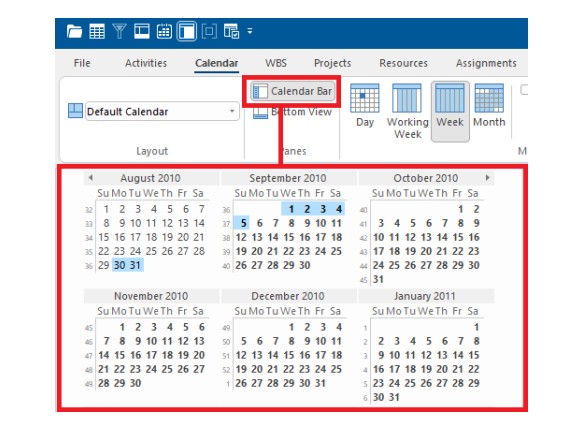
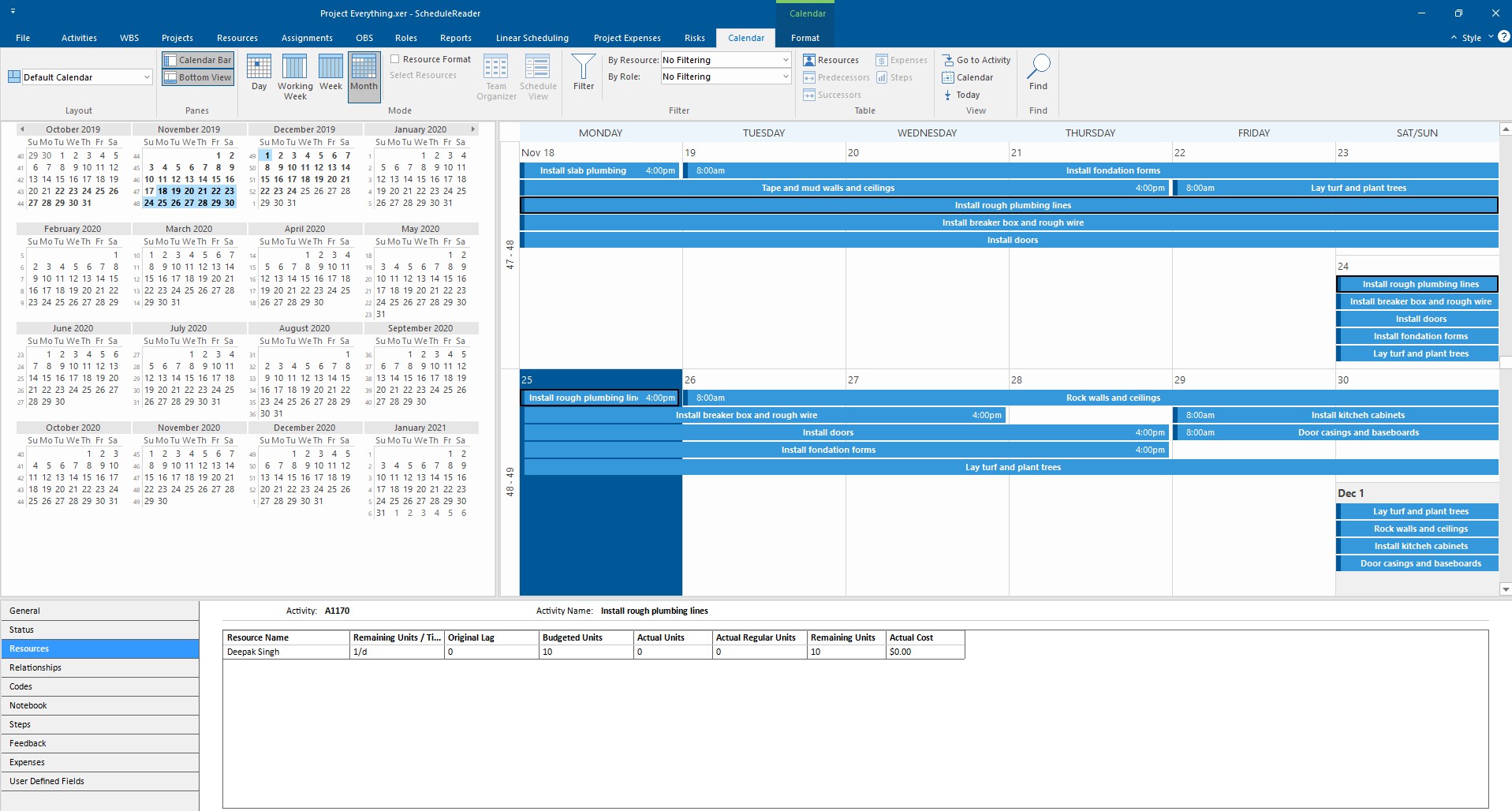
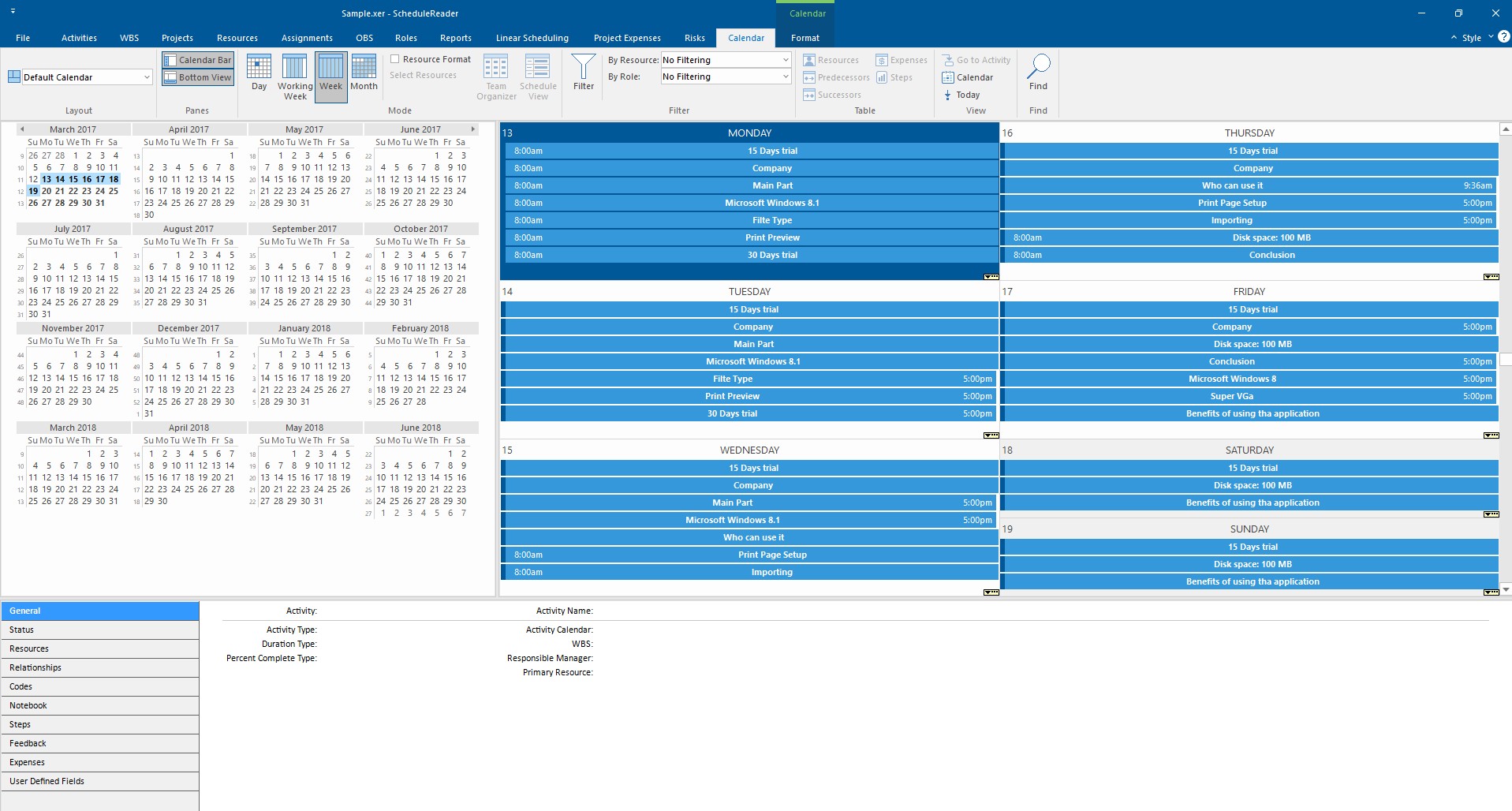
You can easily switch between Day, Working Week, Week, or Month layouts to frame data in a way that matches your needs and use the Calendar Bar to effortlessly jump to any date or month within an instance.
Perfect for Project Tracking
Simplify tracking progress compared to traditional Gantt charts, and use the Calendar View to oversee a week’s plan or scan months ahead.
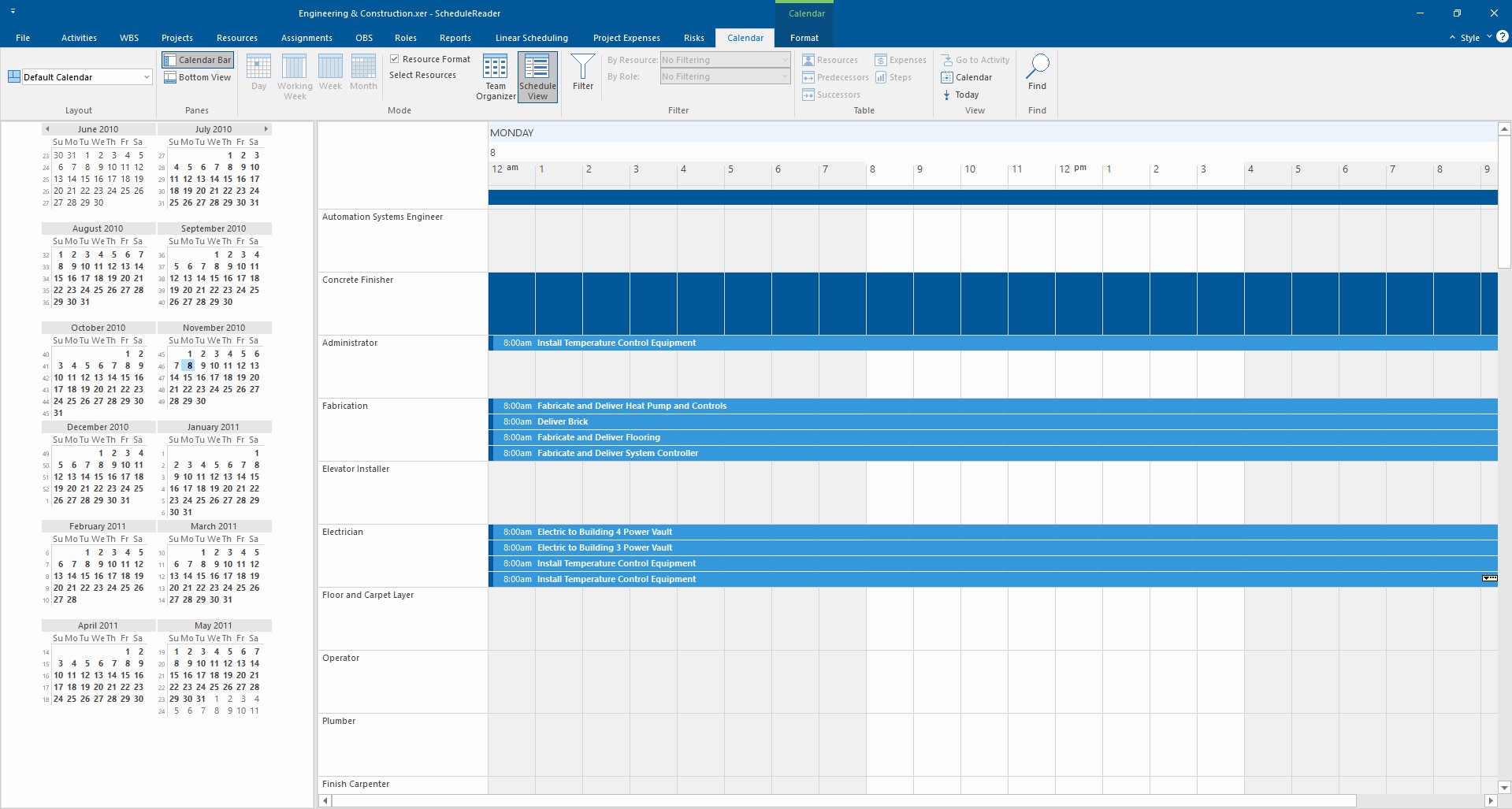
Additionally, you can filter your views to look at resources or roles and use the Bottom View to dive into details for specific activities.
Stay Aligned Without Complex Tools
Flexible Time Display
Switch between day, week or month views to analyze activities and quickly spot scheduling conflicts.
Detailed Insights
Filter and examine resource allocation patterns over time, to plan better and make informed decisions.
Enhanced Usability
Get a visual, intuitive view of project data that is ideal for field teams and stakeholders.
Ready to Get Started?
See how the world’s best schedulers deliver astonishing results for their businesses with ScheduleReader™.