

Project Risk View
View the project risks tied to your activities with the dedicated Risk module. Now available in ScheduleReader PRO.
View the Assigned Risks in Your Schedules
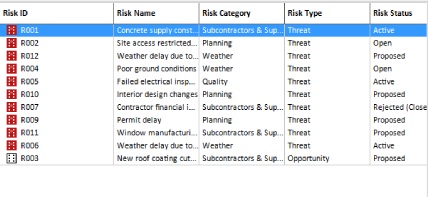
The Risk module allows you to view the risks linked to process activities though the risk register of your schedule. Key details include: Risk Name, Risk ID, Risk Category, Risk Type, Risk Status.
Tools for Risk Visualization and Analysis
The Risk module features built-in dashboards and charts that help with quantitative and qualitative risk analysis.
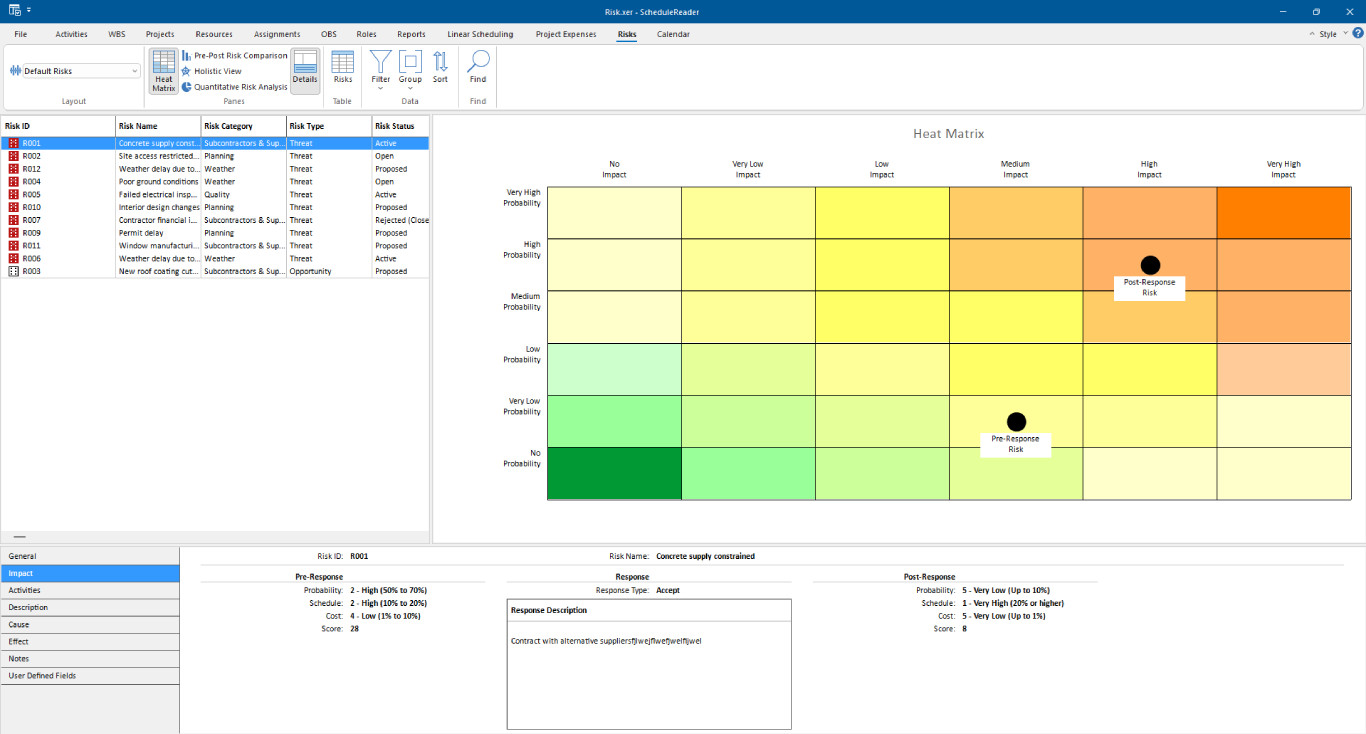
- Heat Matrix – Color-coded probability vs. impact grid allowing you to spot high-priority risks fast.
- Pre-Post Comparison – Side-by-side before/after mitigation charts for measuring response effectiveness.
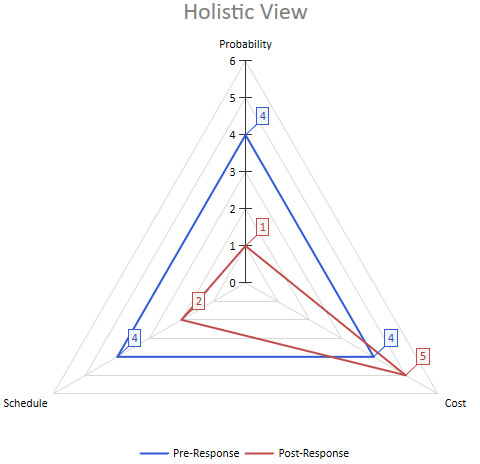
- Holistic View – Radar chart of probability, schedule, cost impacts allowing you to see all dimensions at once.
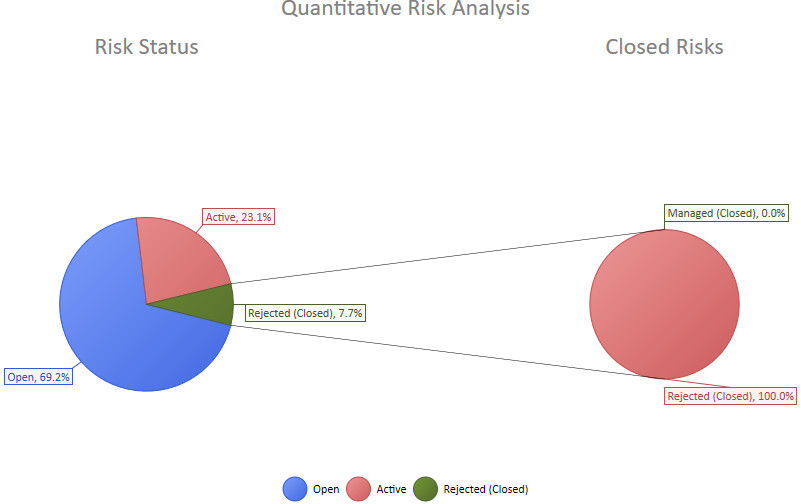
- Quantitative Analysis – Open/closed/rejected risk pie charts for tracking overall project risk status.
The Benefits of the Risk Module
View Project Risks
Improve risk awareness and move from reactive firefighting to proactive risk management.
Improve Project Success
Early visibility into risks supports better decision-making and response coordination.
Get Detailed Insights
Centralized environment where teams can evaluate how risks influence project timelines and budgets.
Ready to get started?
See how the world’s best project teams deliver astonishing results for their businesses with ScheduleReader™.